
Your webmail, as a real desktop app
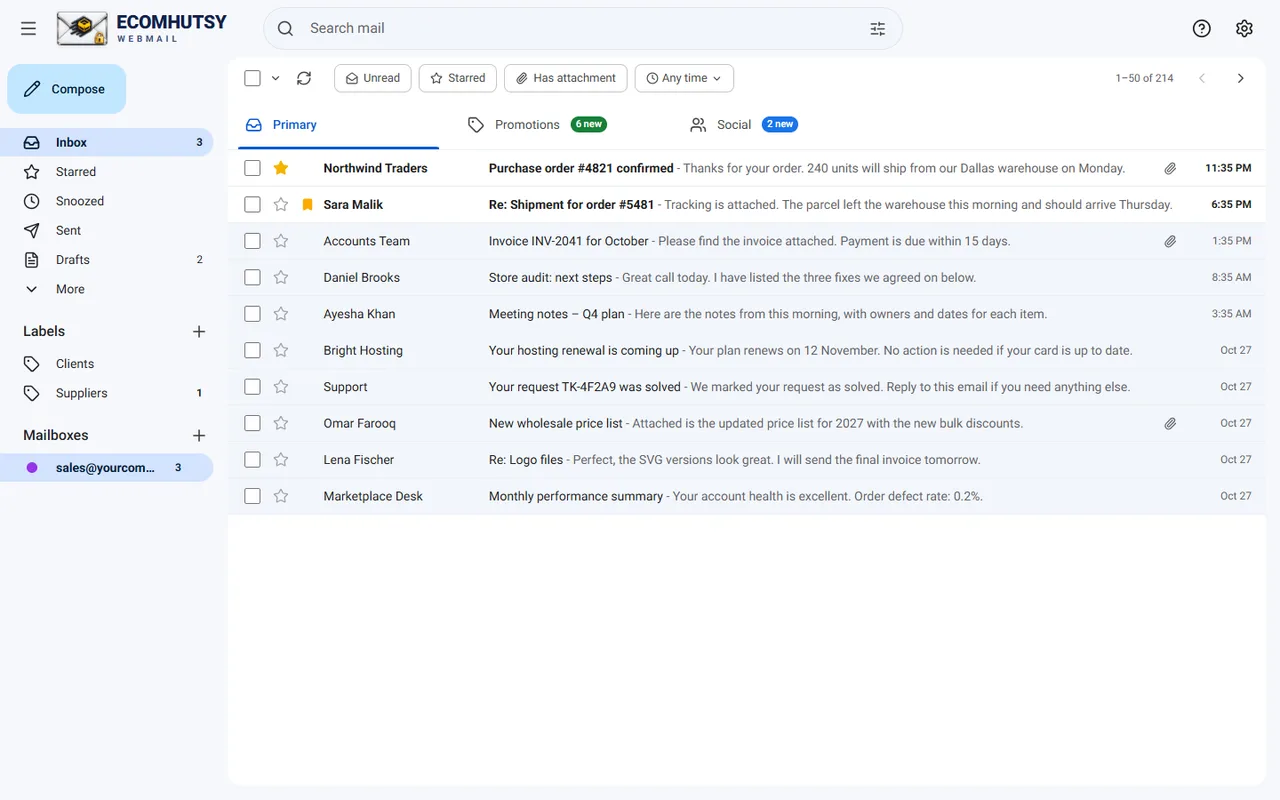
ECOMHUTSY Webmail gives the email on your own domain a fast, Gmail-style inbox on your PC, with notifications in the tray. Works with cPanel and Roundcube mailboxes, Hostinger, GoDaddy, Zoho, Gmail and Yahoo.
- Free
- Windows 10 or Windows 11, 64-bit
- Mail goes straight from your PC
Why a desktop email app beats a browser tab
Notifications in the tray
New email shows within seconds, even with the window closed. The tray icon shows your unread count.
All your mailboxes
Company, hosting, Gmail and Yahoo addresses side by side, each with its own signature.
Real conversations
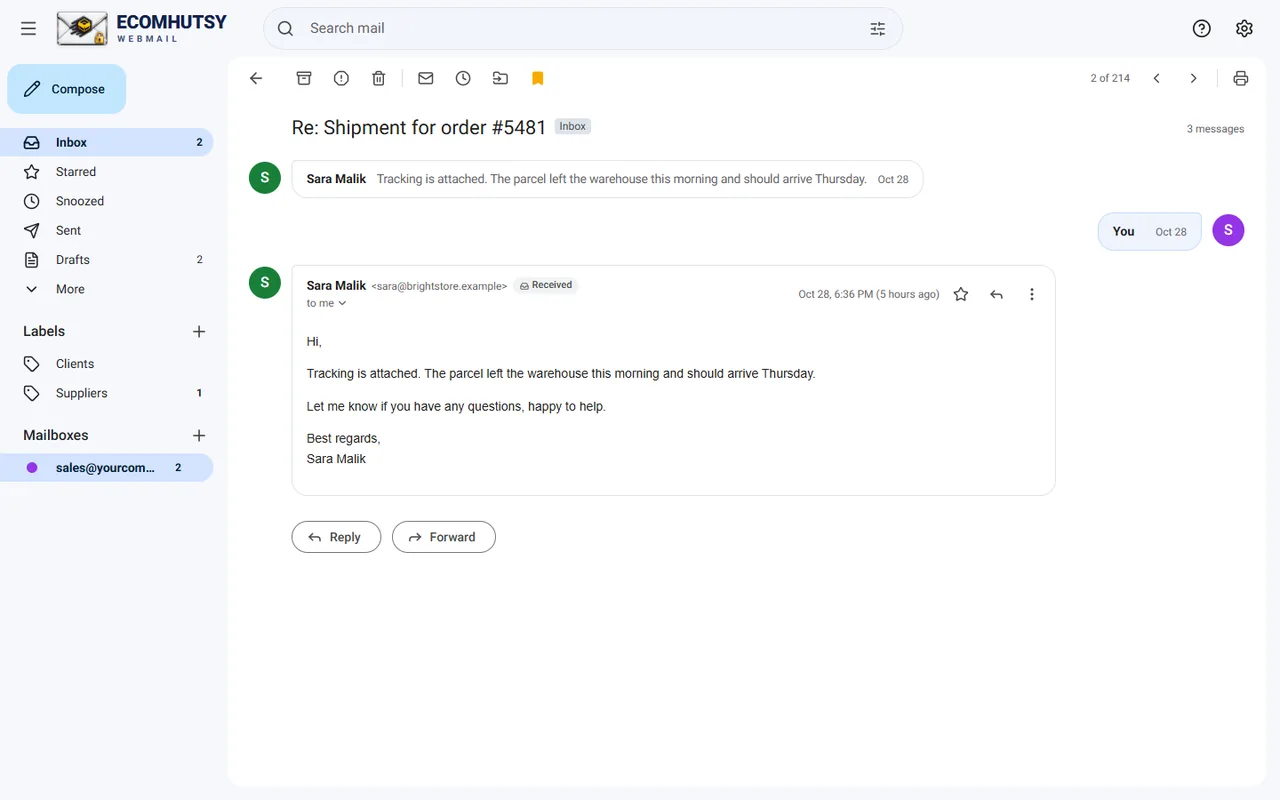
A whole thread in one view, replies on the right, quoted text folded away.
Primary, Promotions, Social
Newsletters stop crowding the email that matters.
Schedule send and snooze
Send at the right hour. Bring emails back when you are ready.
Private by design
Your PC connects straight to your mail server; passwords stay on your PC, protected by Windows.
Built for the email you already have
Install in three steps
- DownloadGet the installer (about 102 MB).
- Run itIf Windows shows a blue SmartScreen box, choose More info, then Run anyway.
- Sign inEnter your email address and password.
ECOMHUTSY Webmail is one of several ECOMHUTSY products
ECOMHUTSY has helped online sellers since 2016: $150M+ in e-commerce sales processed, 100+ active clients in 50+ countries. Software to run your operation, and a team to run your stores.
Products
 Team Monitoring From $3 per user / monthTime tracking, activity, screenshots and reports for remote and office teams.
 HutsyBoard Coming soonMarketplace-to-warehouse operations: orders, purchasing, receiving, inventory and shipping.
 ECOMHUTSY Webmail FreeFree Gmail-style webmail for business email on your own domain, on the web, Windows and Android.
Services
 Amazon & Walmart automationOperator-led marketplace stores run for you, daily.
 Shopify automationYour Shopify store managed end to end.
 Seller accountsSet up, buy or sell marketplace seller accounts.
 LLC formationUS LLC filing with EIN letter and optional add-ons.
 Tax, ITIN & EINITIN, EIN, sales tax licences and exemption certificates.
 Web developmentWebsites and stores on Laravel, WordPress and Shopify.
Questions and answers
Is the webmail desktop app free?
Yes, ECOMHUTSY Webmail is free on Windows, Android and the web.
Does it work with Roundcube and cPanel webmail?
Yes. Roundcube and cPanel webmail are browser windows onto your mailbox. The desktop app opens the same mailbox over IMAP, so everything stays in sync.
Does it support Mac?
There is no Mac installer yet. On a Mac, open mail.ecomhutsy.com in Safari and choose File, Add to Dock, or install it from Chrome.
Why does Windows show a SmartScreen warning?
SmartScreen warns about programs that are new to it. Choose More info, then Run anyway. You can verify the installer's SHA-256 on the download page.
Does ECOMHUTSY see my email?
No. The desktop app connects your PC straight to your mail server, and your passwords are stored on your PC only.